AppControl v4 — User Guide
Operational mastery and IT system resilience. Map your applications as dependency graphs, monitor health in real time, orchestrate sequenced operations, and maintain full DORA-compliant audit trails.
Table of Contents
- Getting Started
- Login
- Dashboard
- Application Management
- Creating an Application (Onboarding Wizard)
- Importing Applications
- Auto-Discovery
- Map View
- Interactive DAG Visualization
- Component Detail Panel
- Multi-Site View
- Operations
- Full Application Start
- Full Application Stop
- Error Branch Restart
- DR Site Switchover
- Custom Commands
- Dry Run Simulation
- Diagnostic & Rebuild
- Infrastructure
- Agents
- Gateways
- Sites
- Enrollment Tokens
- Users & Permissions
- User Management
- Team Management
- Sharing & Permissions
- Reports & Compliance
- Settings & Administration
- Settings
- API Keys
- Supervision Mode
- Scheduler Integration
- Security Architecture
Getting Started
Login
AppControl supports multiple authentication methods: OIDC (Keycloak, Okta, Azure AD), SAML 2.0 (ADFS, Azure AD), and local authentication for development environments.
After authenticating, you are redirected to the Dashboard. Your session uses RS256-signed JWT tokens with automatic refresh.
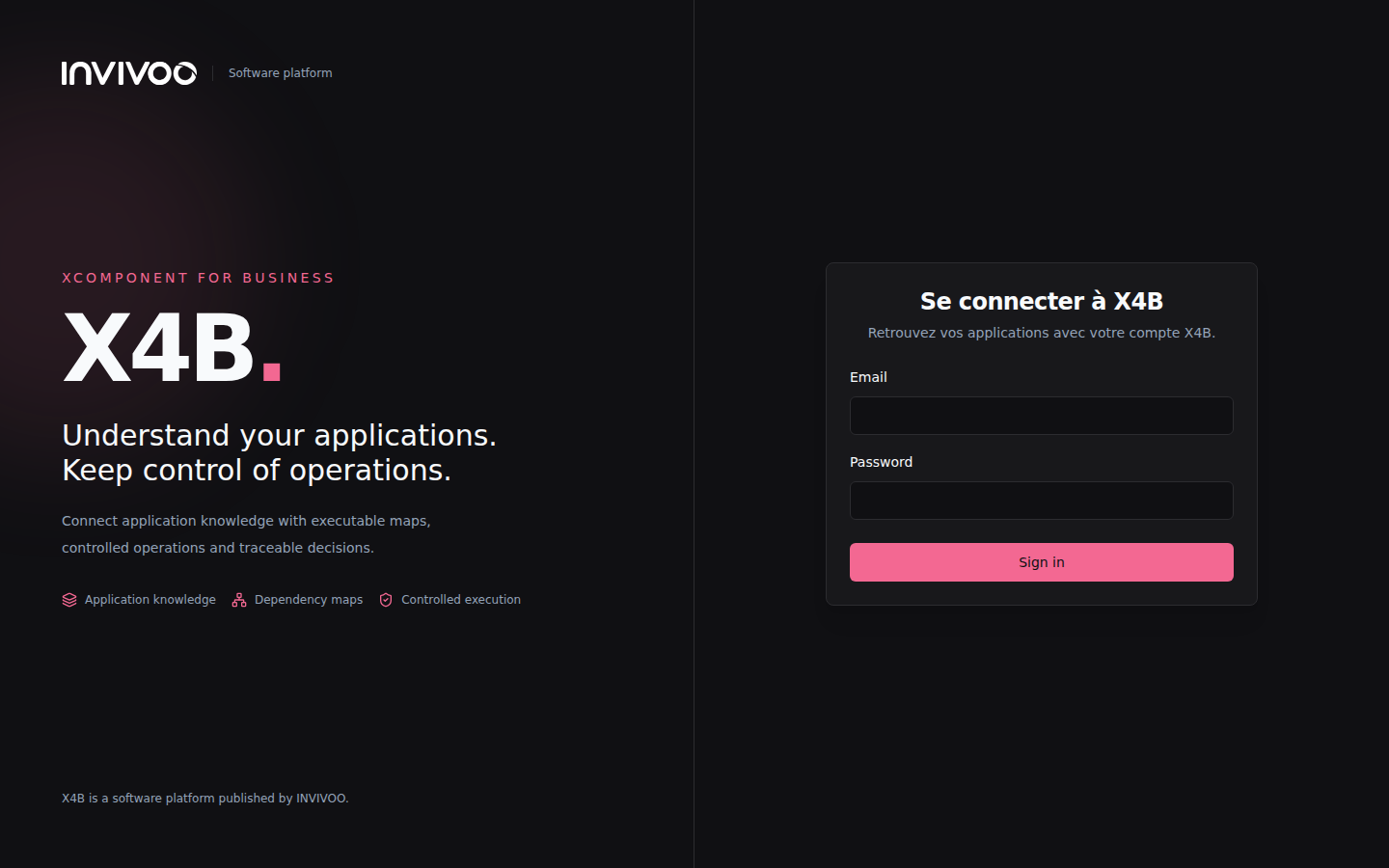 Login page — supports OIDC, SAML 2.0, and local authentication
Dashboard
The Dashboard is your command center. It provides a real-time overview of all applications you have access to.
What you see at a glance:
- Application cards — each card shows the application name, overall health status, and a component count breakdown (running, failed, stopped)
- KPI tiles — aggregate metrics across your portfolio: total applications, components running, components failed, agents connected
- Live event feed — the most recent operations, state changes, and alerts across all visible applications
- Quick filters — focus on applications by status (healthy, degraded, failed) or by site
- Search — locate applications by name or tag instantly
The Dashboard updates in real time via WebSocket — status changes appear immediately without manual refresh.
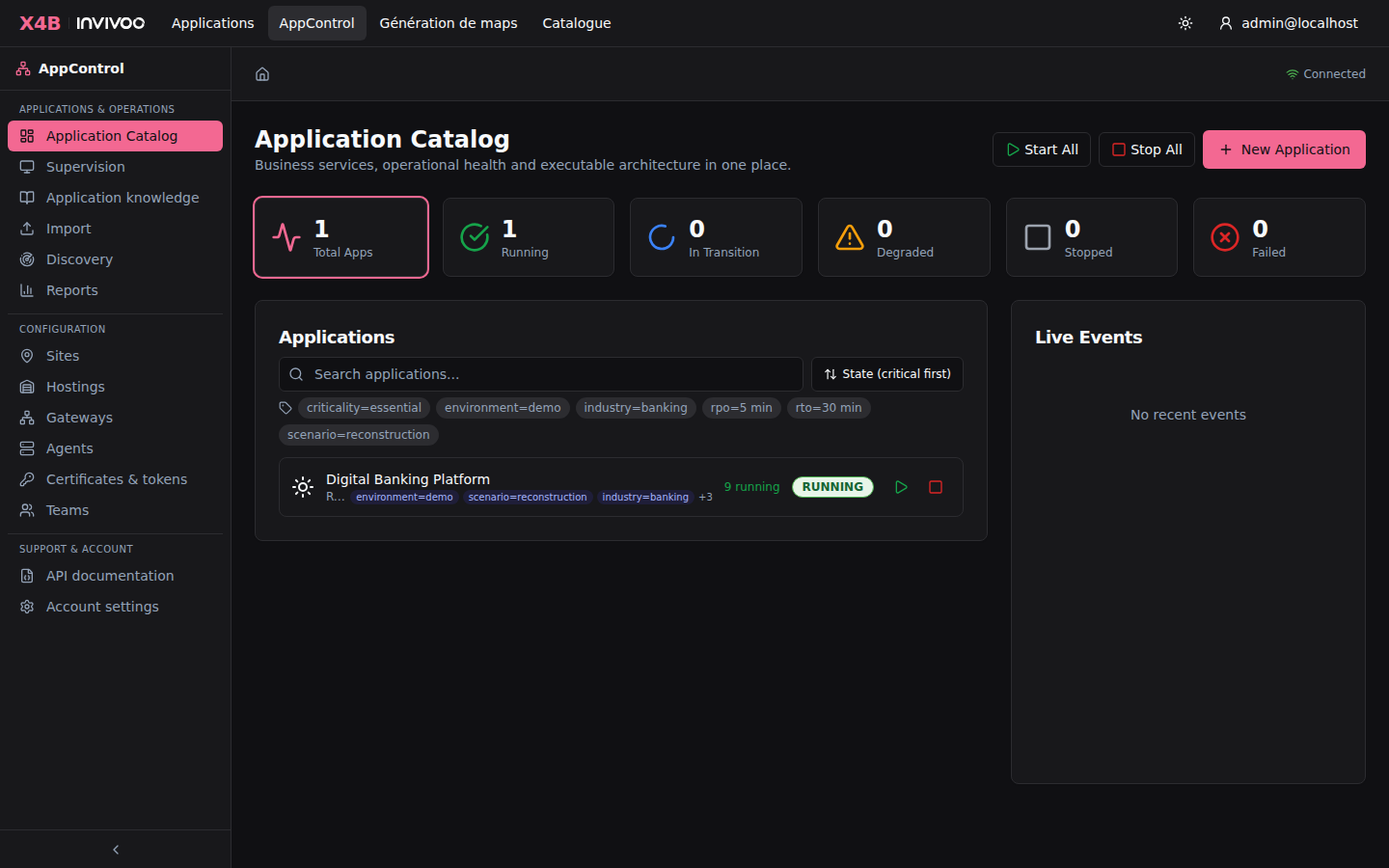 Dashboard — real-time overview of all applications with KPIs and live event feed
Application Management
Creating an Application
The Onboarding Wizard guides you through creating a new application step by step. No YAML files or CLI commands needed.
The wizard walks you through:
- Welcome — introduction and getting started
- App Info — name, description, and primary site selection
- Sites — configure primary and DR site assignments
- Components — define each component with its type, agent, and commands (check, start, stop)
- Dependencies — draw the dependency graph between components
- Review — verify the complete configuration before creation
- Done — application is created and agents start monitoring immediately
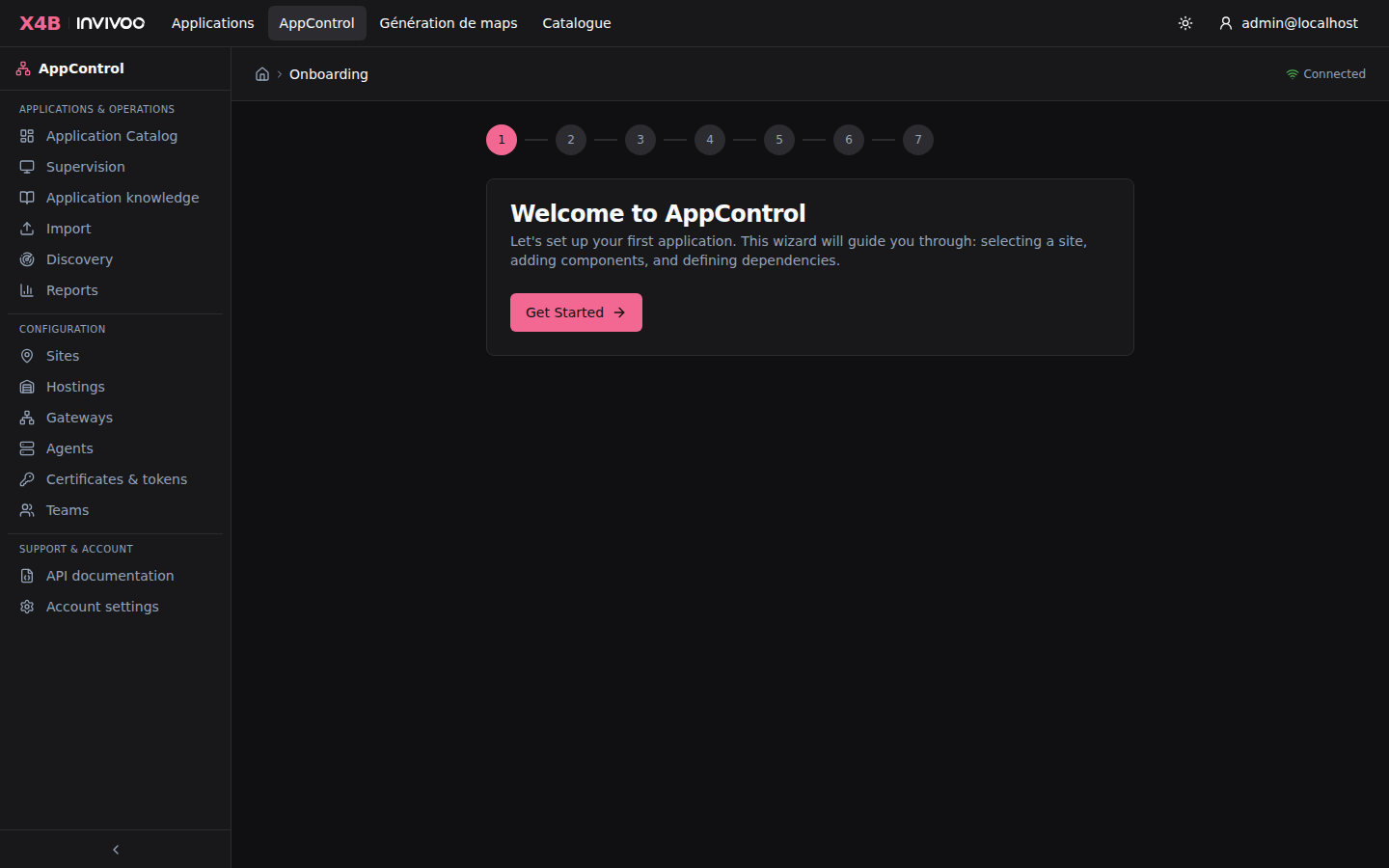 Onboarding Wizard — guided application creation
Each component requires at minimum a name, type, and agent assignment. The check command determines how AppControl monitors the component's health. Start and stop commands enable orchestrated operations.
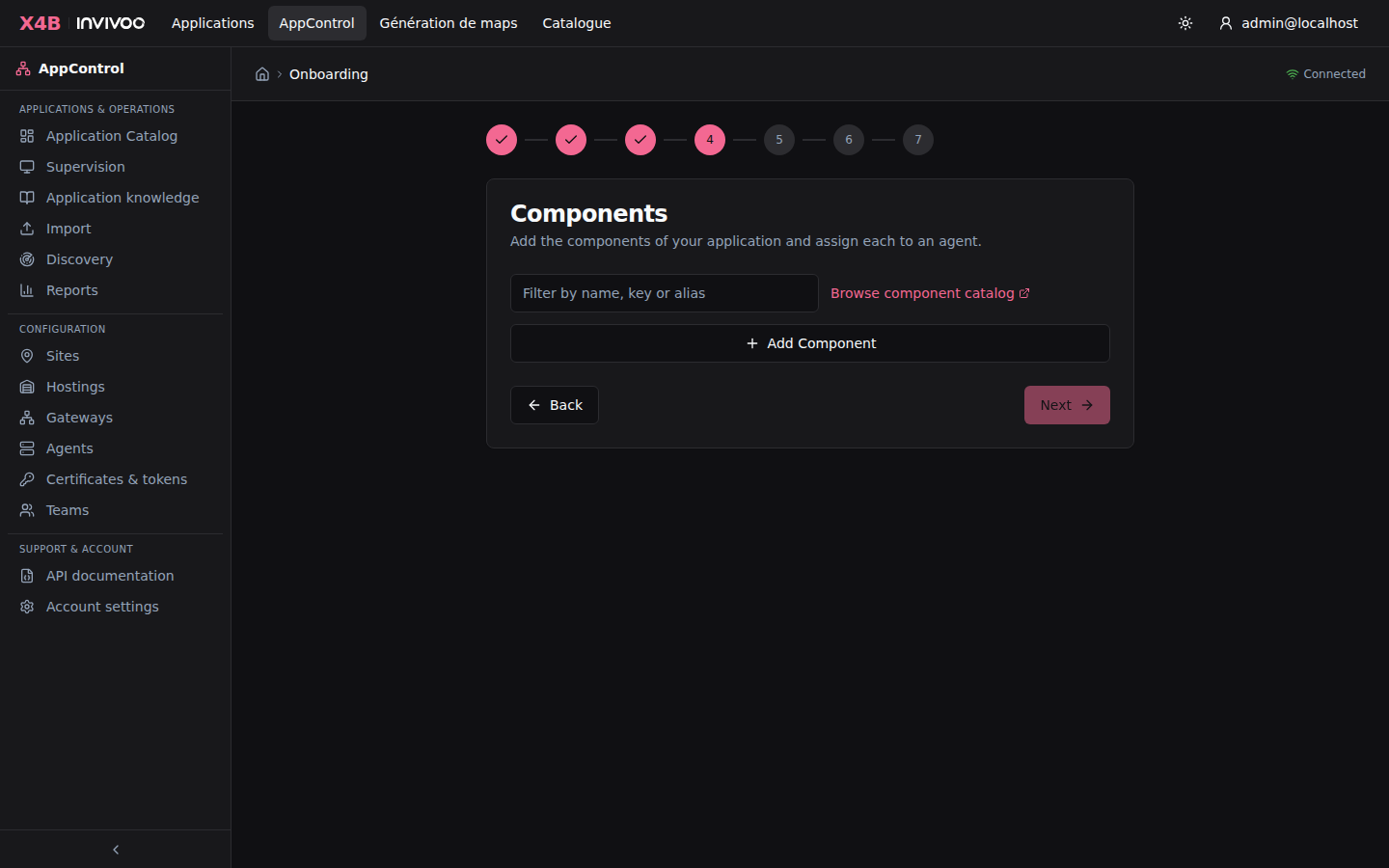 Component configuration — define check, start, and stop commands for each component
Importing Applications
For teams that prefer infrastructure-as-code, AppControl supports YAML and JSON import of application definitions.
Import workflow:
- Upload a YAML/JSON file defining components, dependencies, and commands
- AppControl validates the structure (checks for DAG cycles, missing references, invalid types)
- The Import Wizard lets you review the parsed application, map components to agents, and resolve conflicts
- The application is created with full version tracking in
config_versions
You can also import from existing AppControl v3 configurations — the importer automatically maps legacy component types and command formats.
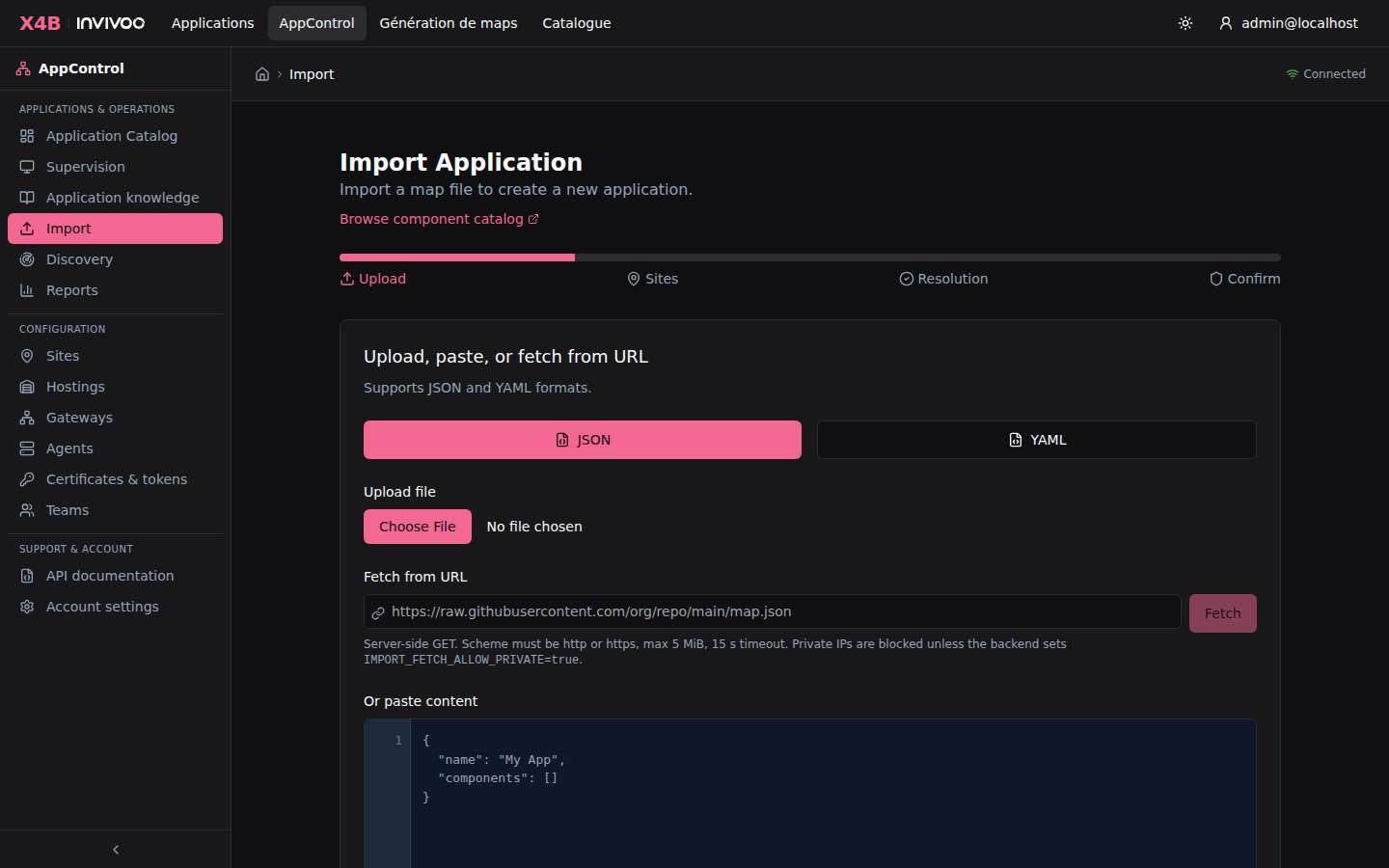 Import page — upload YAML/JSON application definitions
Auto-Discovery
The Discovery feature automatically detects running processes on monitored servers and suggests application topologies.
How it works:
- Agents scan their hosts for running processes, listening ports, and service definitions
- Discovery correlates processes across agents to identify multi-server applications
- A draft topology is generated with suggested component names, types, and dependencies
- You review and refine the draft before promoting it to a real application
This is especially useful for onboarding existing applications that don't have formal documentation.
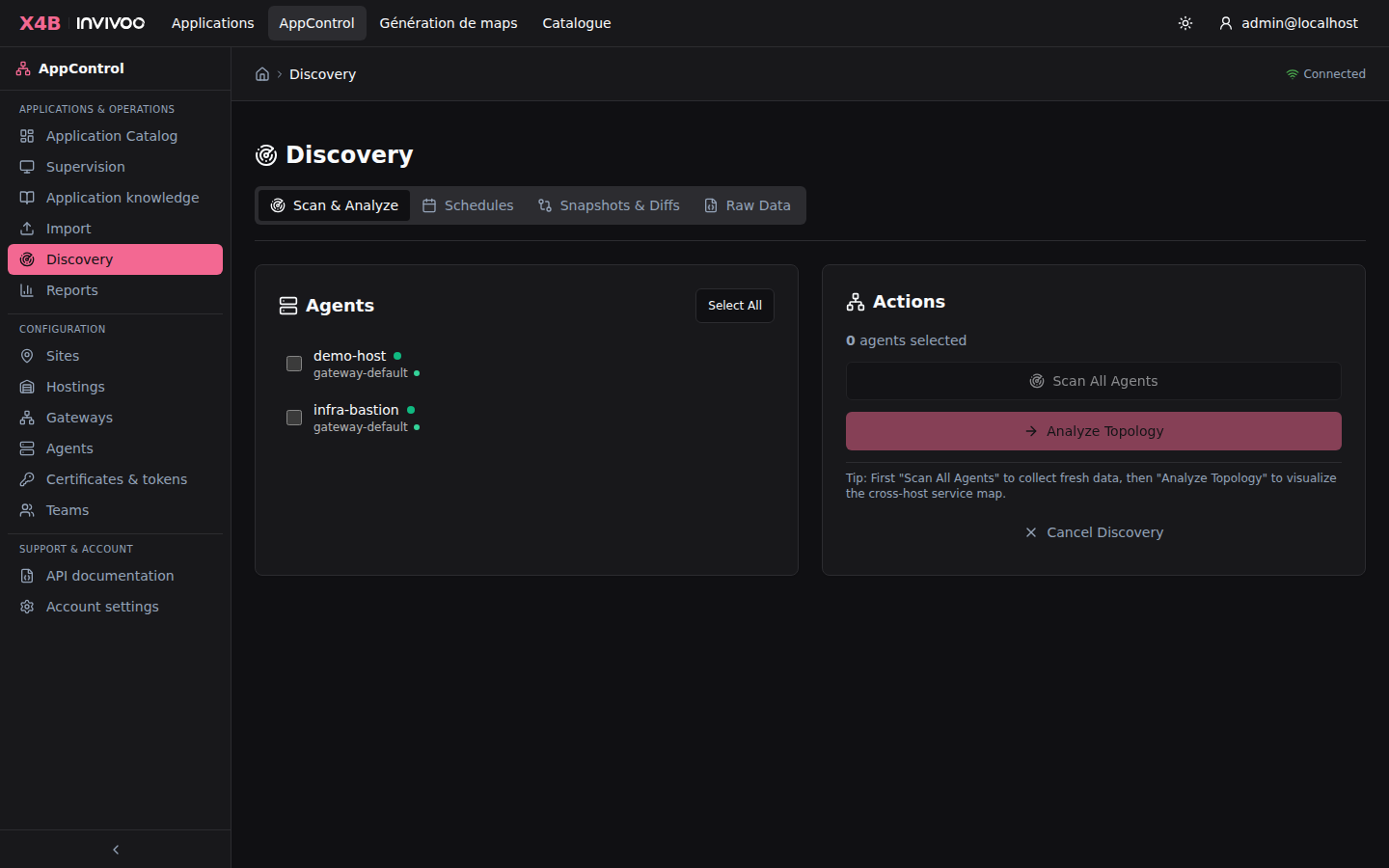 Auto-Discovery — detect and map running applications automatically
Map View
Interactive DAG Visualization
The Map View is the heart of AppControl. It renders your application's component topology as an interactive directed acyclic graph (DAG) powered by React Flow.
Key capabilities:
| Feature | Description |
|---|---|
| Pan & Zoom | Navigate large topologies with mouse drag and scroll wheel |
| Color-coded nodes | Each node reflects its FSM state: green (running), red (failed), gray (stopped), blue pulse (starting/stopping) |
| Dependency edges | Directional arrows show which components depend on which |
| Error branch | Failed components and their dependents are highlighted in pink for quick identification |
| Toolbar actions | Start All, Stop All, Restart Branch, Switchover, Diagnose, Export |
| Layout controls | Automatic arrangement: top-down, left-right, or radial |
| Mini-map | Overview navigation for large application graphs |
| Keyboard shortcuts | Ctrl+F search, Space toggle start/stop, F5 refresh, ? show all shortcuts |
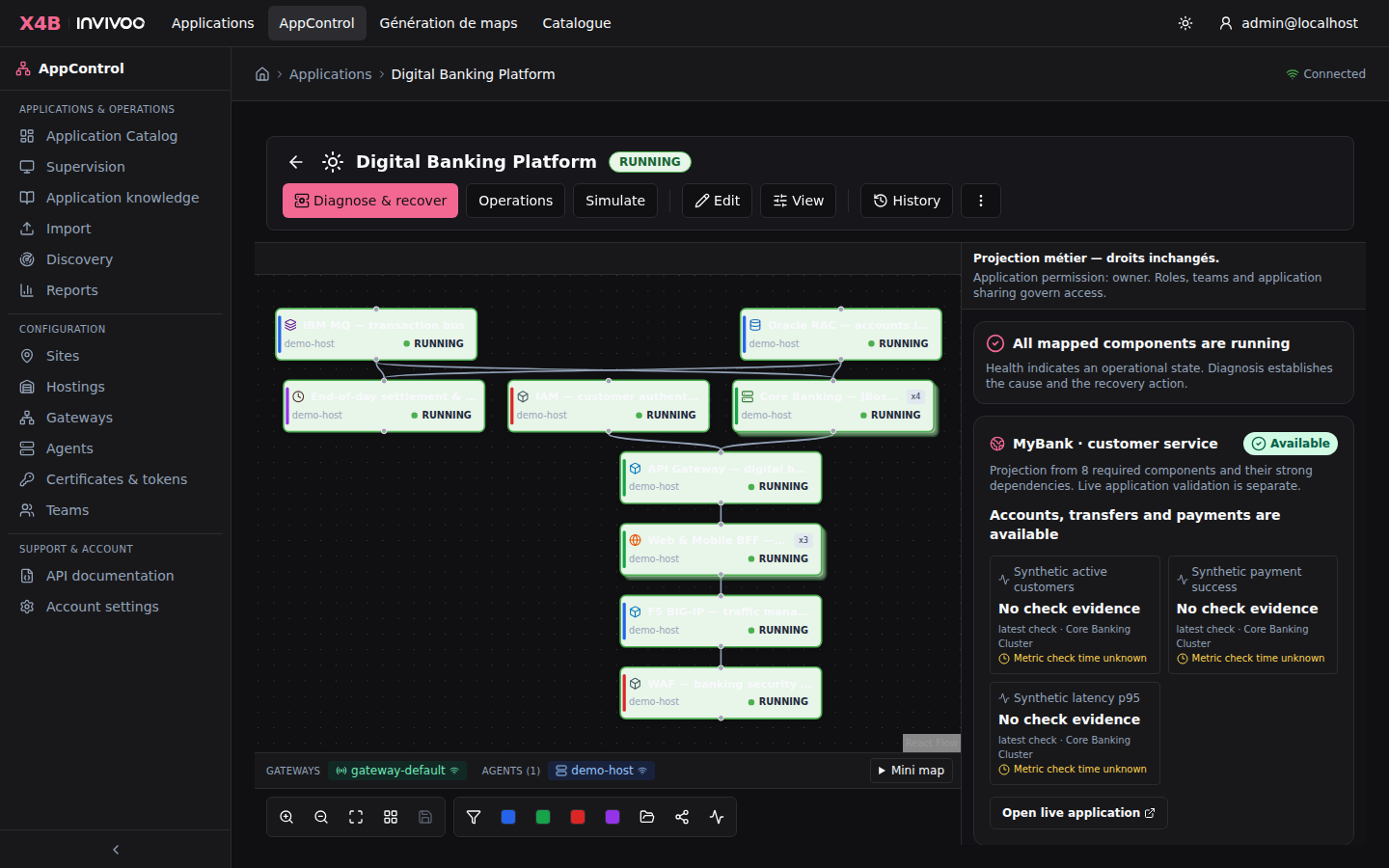 Map View — interactive DAG visualization with color-coded component states
Component Detail Panel
Click any component node to open the Detail Panel on the right side. It provides deep insight into a single component.
Panel tabs:
| Tab | Content |
|---|---|
| Status | Current FSM state, last check result, uptime counter, state history timeline |
| Checks | Results from all three diagnostic levels (health, integrity, infrastructure) with stdout/stderr |
| Metrics | Visualizations of metrics extracted from check commands (gauges, sparklines, charts) |
| Commands | Execute start, stop, or custom commands with live terminal output |
| Logs | Agent log tail for this component with search and filtering |
| Config | Component configuration: commands, intervals, timeouts, environment variables |
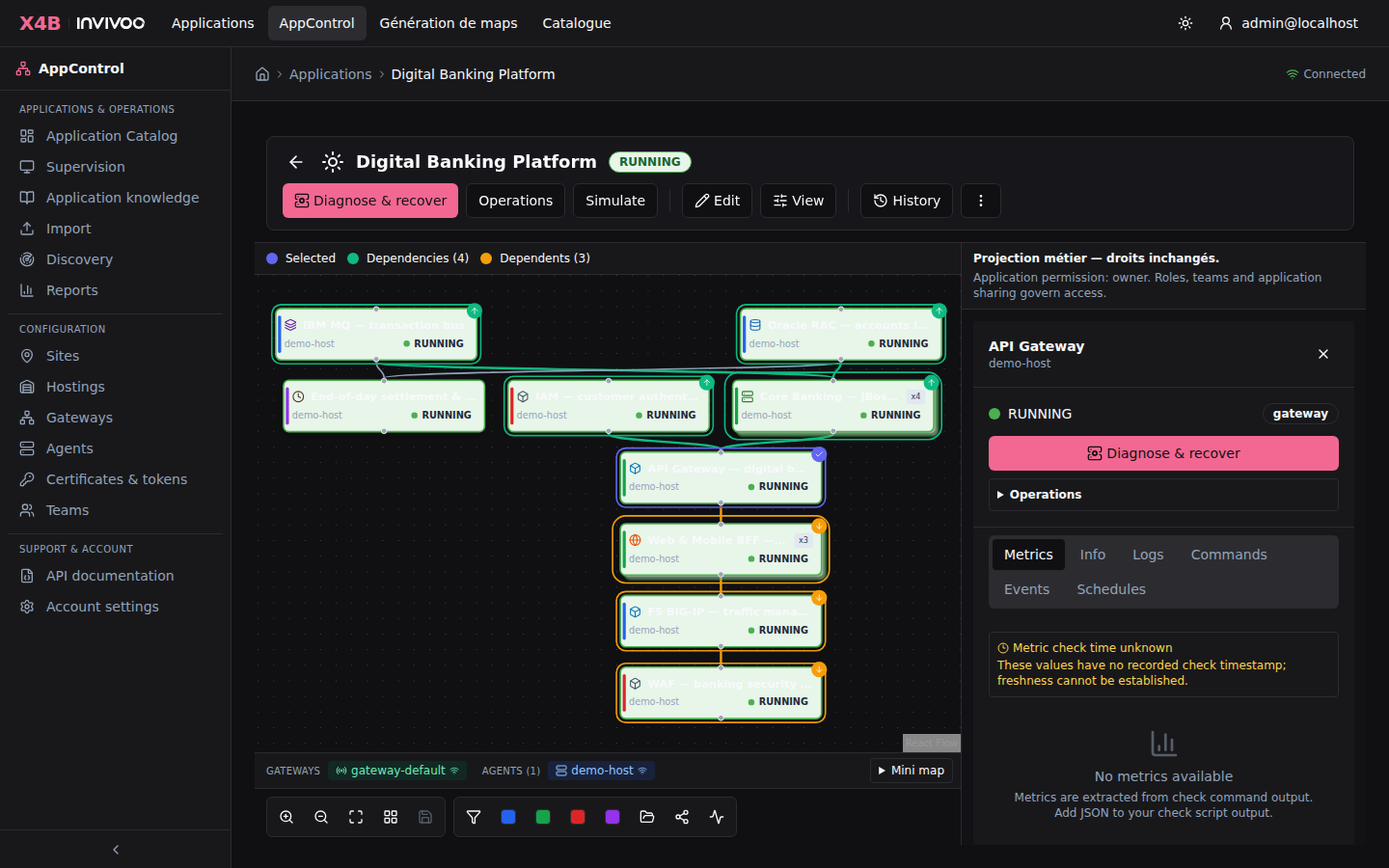 Detail Panel — component status, check results, metrics, and command execution
Multi-Site View
When an application is configured with site overrides (primary + DR), the Map View displays split-panel component nodes showing the status on each site simultaneously.
This gives operators instant visibility into both the primary and disaster recovery deployments without switching views.
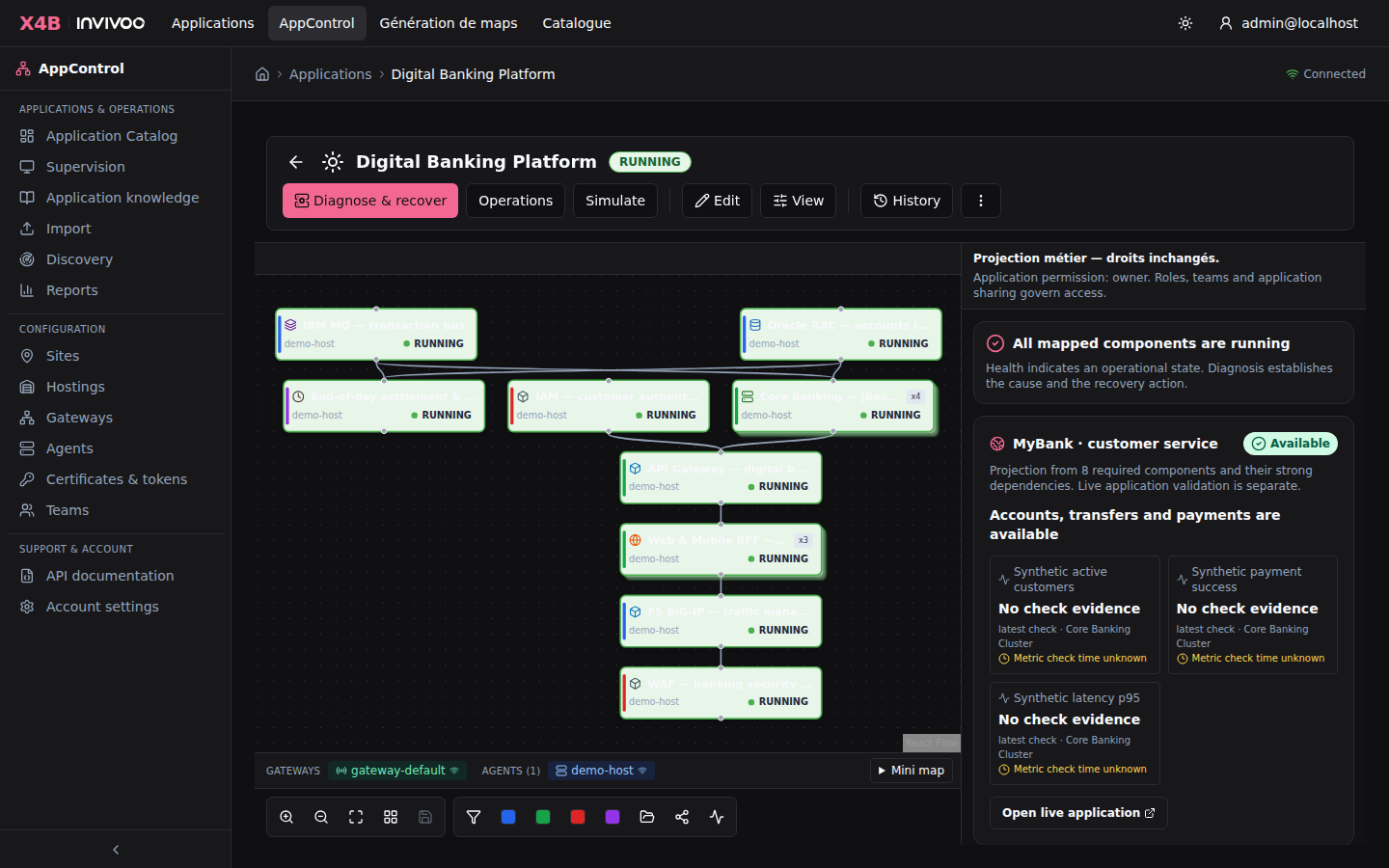 Multi-Site View — primary and DR status side by side on each component node
Operations
AppControl supports seven core operations. Every operation is logged in the audit trail before execution begins.
Full Application Start
Starts all components following the dependency graph bottom-up:
- Components with no dependencies start first
- Each component waits for its dependencies to reach
RUNNING - Components at the same level start in parallel
- Progress is tracked per-component with real-time updates on the map
Full Application Stop
Stops all components in reverse dependency order (top-down):
- Components with no dependents stop first
- Each component waits for all its dependents to reach
STOPPED - Configurable timeout per component with force-stop option
Error Branch Restart
When a component fails, AppControl identifies the error branch: the failed component and all its dependents (highlighted in pink on the map).
The restart sequence: 1. Stop all components in the error branch (top-down) 2. Restart the root cause component 3. Start all dependent components (bottom-up) once the root is running
This avoids restarting the entire application when only a subset is affected.
DR Site Switchover
Migrates an application from the primary site to the DR site in six phases:
| Phase | Name | Description |
|---|---|---|
| 1 | Pre-check | Validate DR site readiness: agents connected, resources available |
| 2 | Quiesce | Gracefully stop incoming traffic and drain active sessions |
| 3 | Stop Primary | Stop all components on the primary site (reverse DAG) |
| 4 | Data Sync | Verify data replication is complete and consistent |
| 5 | Start DR | Start all components on the DR site (DAG order) |
| 6 | Validate | Run health checks to confirm successful switchover |
Each phase is logged and can be monitored in real time. Rollback is available during phases 1-3.
Cross-site detection: Before switchover, the system checks if components are already running on the target site (via cross-site probe). If detected, a warning is displayed to the operator.
Custom Commands
Execute predefined commands on specific components: log rotation, cache clearing, configuration reload, database maintenance, or any custom operation. Commands are subject to permission checks and fully audited.
Dry Run Simulation
Simulate any operation without making changes:
- Validates the DAG and dependency order
- Checks agent connectivity and user permissions
- Reports the expected execution sequence
- Identifies potential issues before they happen
Always recommended before switchovers or large-scale operations in production.
Diagnostic & Rebuild
A fresh, site-scoped assessment collects health, configured integrity and independent infrastructure evidence. The result distinguishes runtime restart, application repair and infrastructure reconstruction. Unavailable evidence is reported as unknown; it is not inferred from a component's previous green state.
Review the dry-run, actions, missing-contract blockers and dependency impact. Execution stops consumers in reverse DAG order, verifies a dedicated stop proof, then restores each dependency level with infrastructure, integrity, network, health and post-start gates. A failed command or mandatory proof stops recovery. The meaning of each check is supplied by the application's configured command; AppControl does not provide a built-in bank data-consistency or firewall test.
Users with Manage permission can prepare and execute reconstruction. An explicit confirmation is required, and the returned operation identifier has its own persisted status, steps and errors. A component's live state and an HTTP 202 response are not substitutes for that operation's completed result.
The MCP server exposes the same engine through rebuild_app; review its dry-run
before an explicitly confirmed execution. For the demonstration, use the
single operator runbook. External jobs and
business figures in that package are explicitly labelled simulators.
Configured business projections derive availability from the required components and dependencies. Unknown component references are not silently considered healthy. Personas select a projection and do not confer component permissions.
Infrastructure
Agents
Agents are lightweight Rust binaries deployed on monitored servers. They execute health checks, start/stop commands, and report status back through the gateway using mTLS.
The Agents page shows:
- All registered agents with connection status (connected, disconnected)
- Heartbeat timestamps and latency
- Agent version and OS information
- Number of components managed by each agent
- System metrics (CPU, memory, disk) when available
Communication uses delta-only sync: agents send only state changes, not full status on every check cycle.
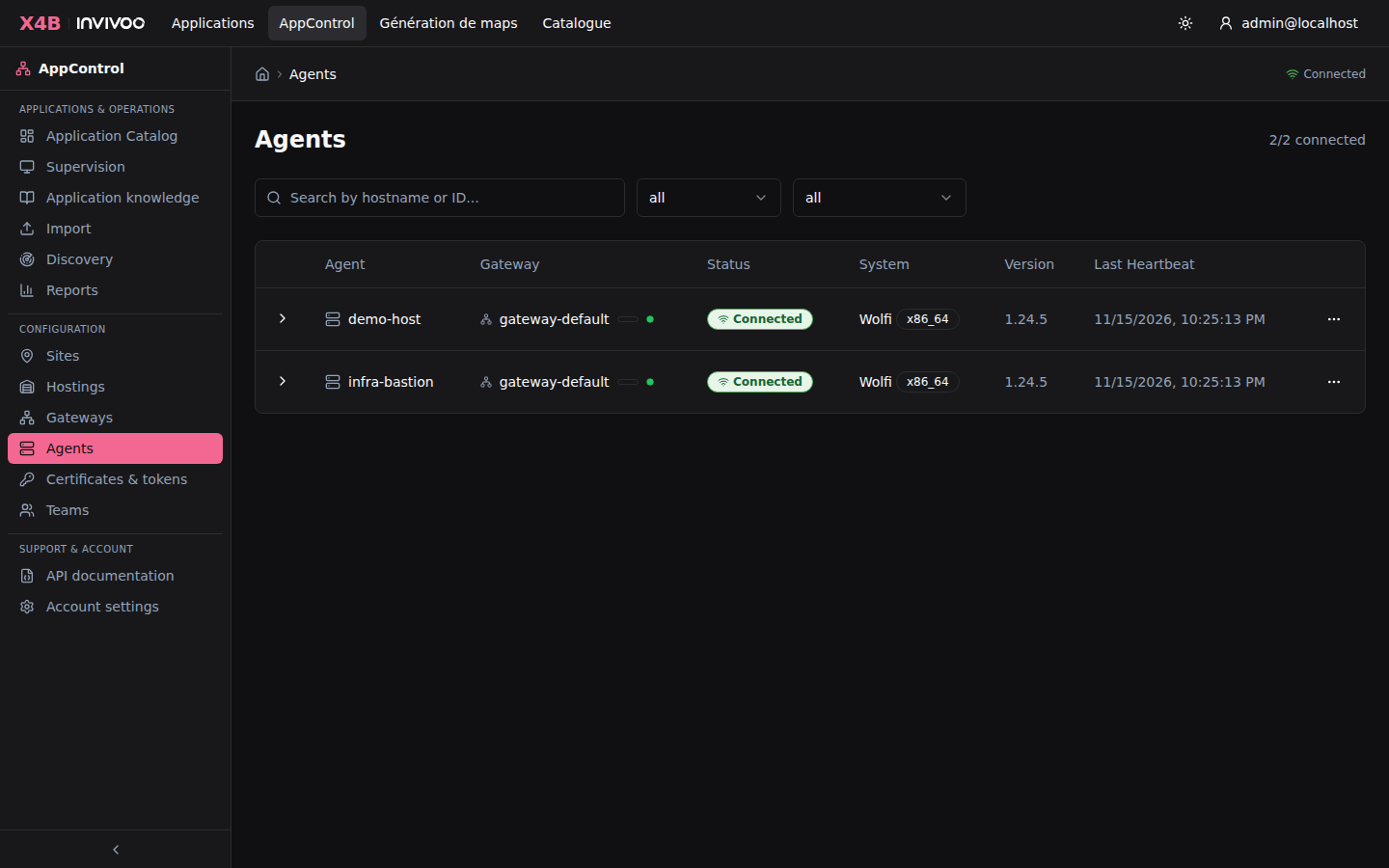 Agents — monitor connected agents, heartbeat status, and managed components
Gateways
Gateways are the communication hubs between agents and the backend. Each site or zone has its own gateway. Agents connect to their zone's gateway via mTLS WebSocket.
The Gateways page shows:
- Registered gateways with connection status
- Associated site and zone
- Number of agents connected through each gateway
- Gateway version and uptime
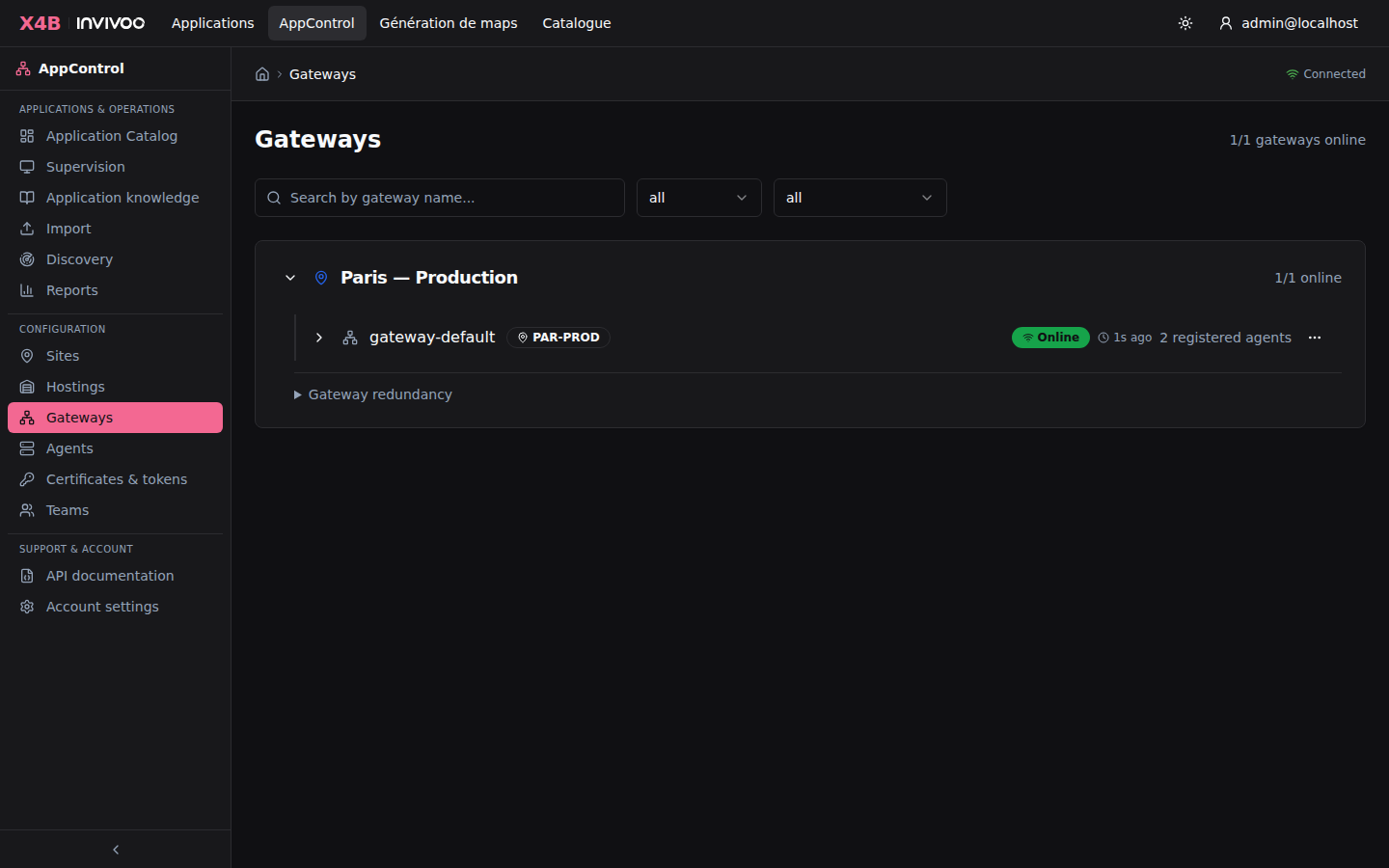 Gateways — manage communication hubs and monitor agent connections
Sites
Sites represent physical or logical locations: datacenters, DR sites, staging environments. Every application and gateway belongs to a site.
Site types: primary (production), dr (disaster recovery), staging, development.
Sites are configured at setup time and used during DR switchover operations to orchestrate transitions between locations.
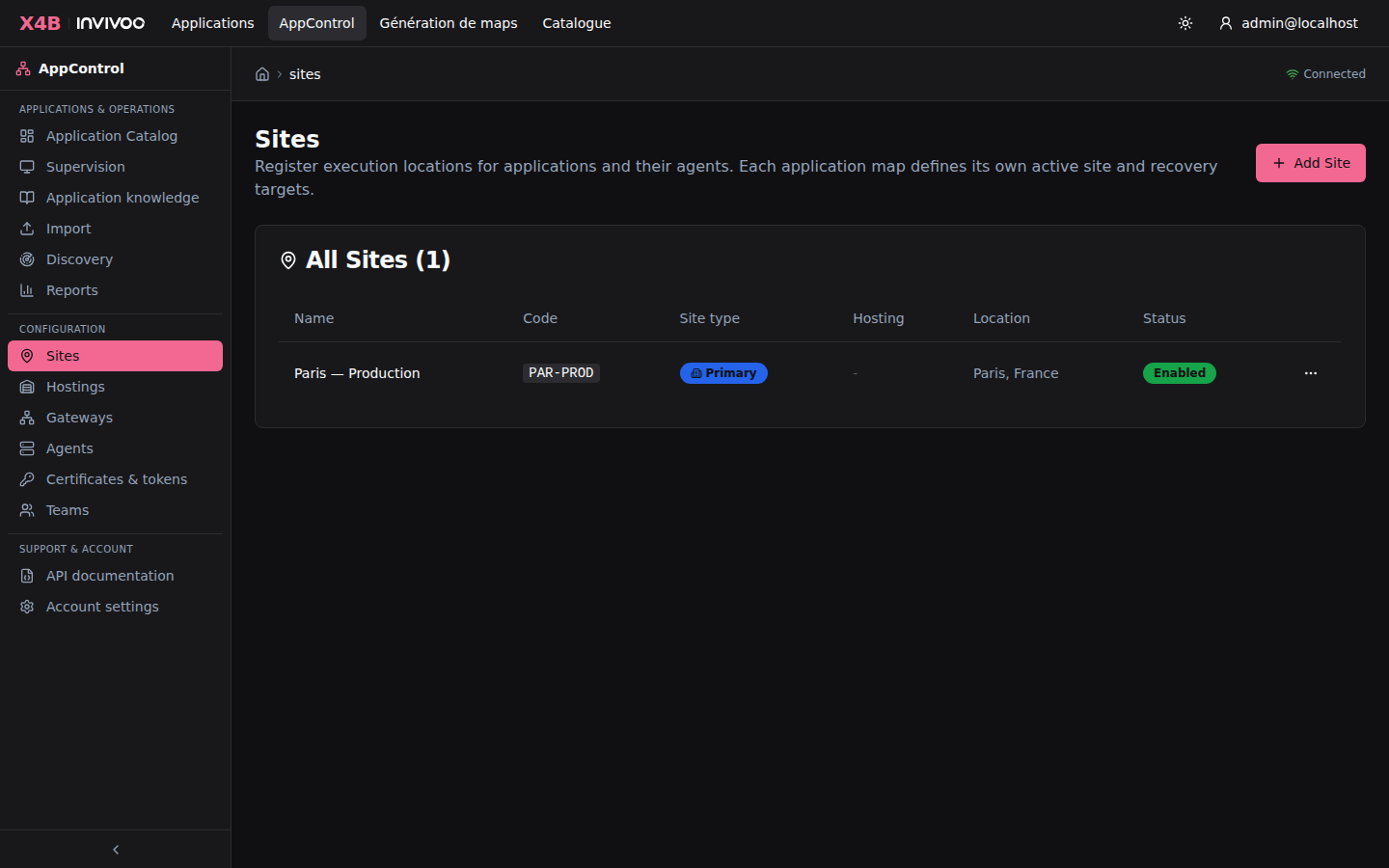 Sites — configure datacenters, DR sites, and environments
Hostings
A hosting groups related sites by physical datacenter or cloud region. For example, "Datacenter Paris" might contain sites prod-paris and staging-paris.
Key features: - Create hostings and assign sites to them from the Hostings admin page - During switchover, sites are grouped by hosting so operators can identify intra-hosting vs. cross-hosting failovers - The hosting name appears as a badge on the Sites page and in JSON exports
Hostings — group sites by datacenter or cloud region
Cross-Site Probe
When a DR binding profile exists, AppControl automatically monitors the passive site to detect if a component is unexpectedly running there (e.g., started manually outside AppControl).
How it works:
1. Every 5 minutes, the backend sends the component's check_cmd to the passive site's agent
2. If the check succeeds (exit code 0), the component is flagged as running on the wrong site
3. A DUAL warning badge appears on the component in the map view
4. A CrossSiteAlert WebSocket event is broadcast to connected clients
This prevents "split-brain" scenarios where the same application runs on both sites simultaneously after a manual intervention.
Enrollment Tokens
New agents and gateways are onboarded using enrollment tokens for secure, authenticated registration.
Enrollment workflow:
- An administrator generates an enrollment token (scoped to
agentorgateway) - The token is provided during installation via CLI flag or config file
- On first connection, the component presents the token and receives mTLS certificates
- The token is single-use and expires after a configurable duration
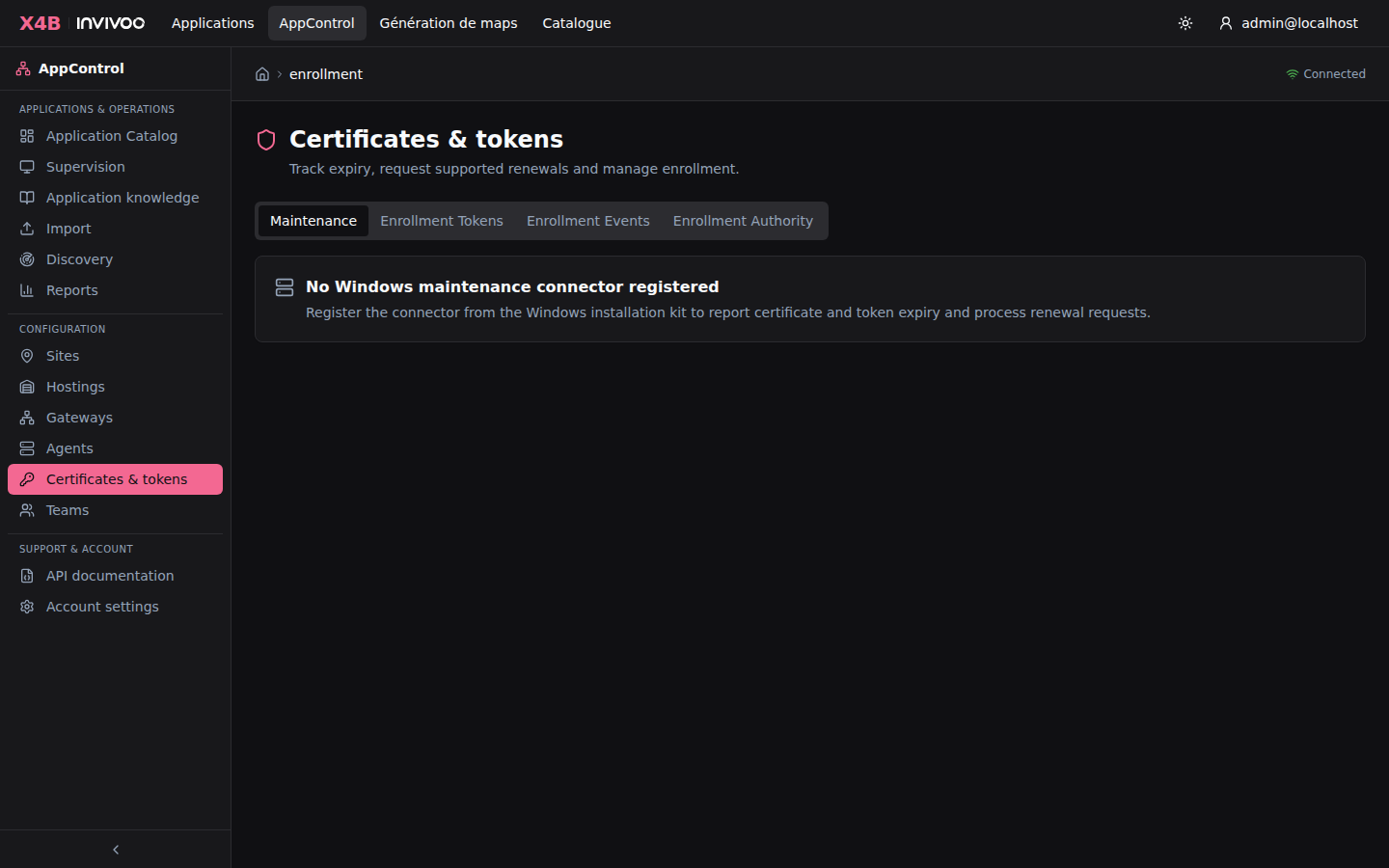 Enrollment Tokens — generate and manage secure registration tokens
Users & Permissions
User Management
Manage all users in your organization. Users can be created manually or auto-provisioned through OIDC/SAML on first login.
User roles:
| Role | Scope | Capabilities |
|---|---|---|
| Admin | Organization-wide | Full platform access, manage users/teams/sites/agents |
| Operator | Per-application | Start, stop, restart where granted operate permission |
| Editor | Per-application | Modify configuration where granted edit permission |
| Viewer | Per-application | Read-only access to maps, logs, and reports |
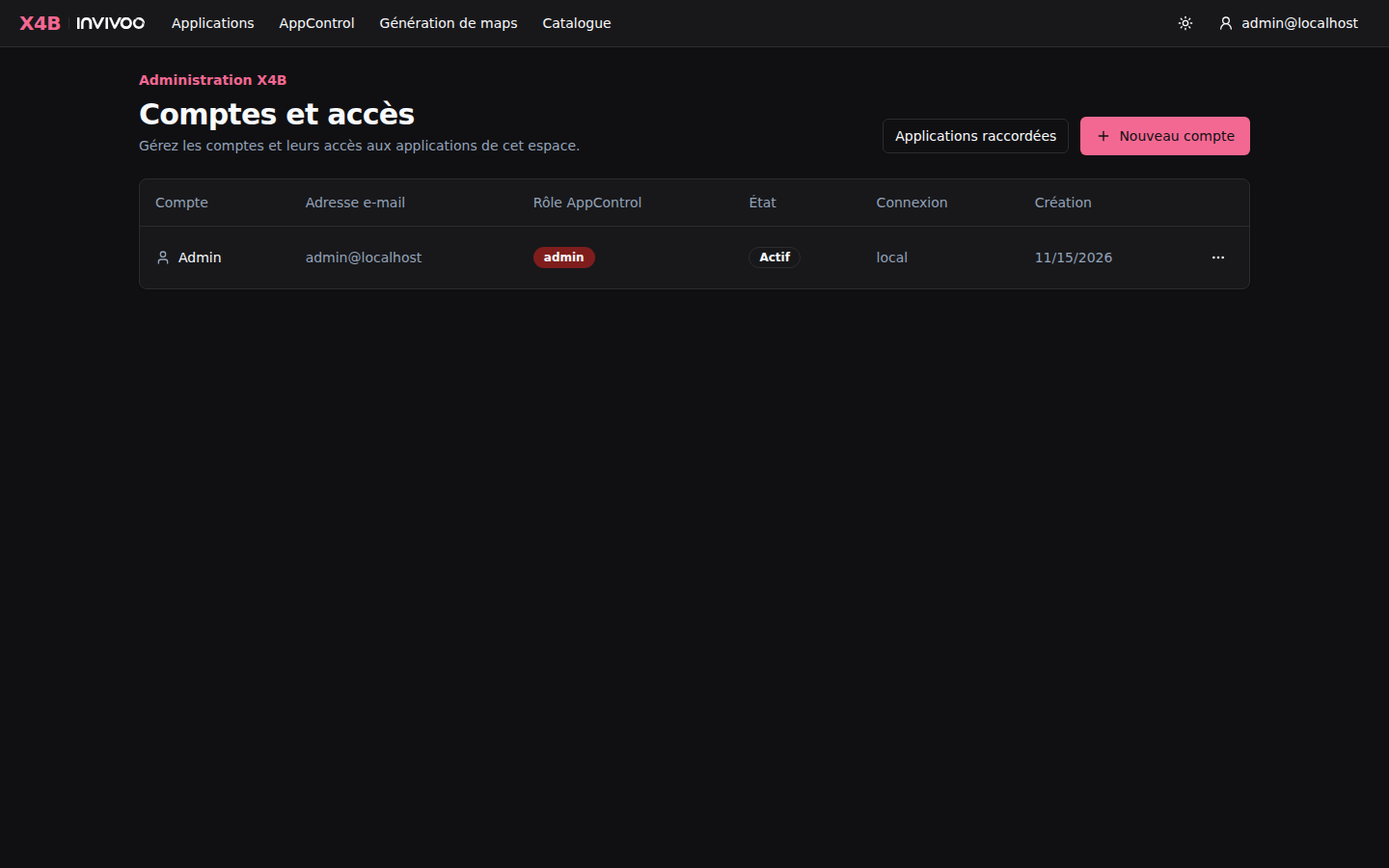 Users — manage accounts, roles, and organization membership
Team Management
Teams group users for collective permission assignment. When a team is granted access to an application, all current and future members inherit that permission. In Teams → Applications, authorized users can assign an application, change its access level or remove the assignment. Managing team membership requires an organization administrator or team lead; sharing an application independently requires at least Manage on that application and cannot grant more access than the actor holds.
Effective permission combines direct and team grants. When workspace/site restrictions are enabled, access also requires authorization for the administrative site and all currently bound component/member sites. Team membership alone never overrides those site restrictions.
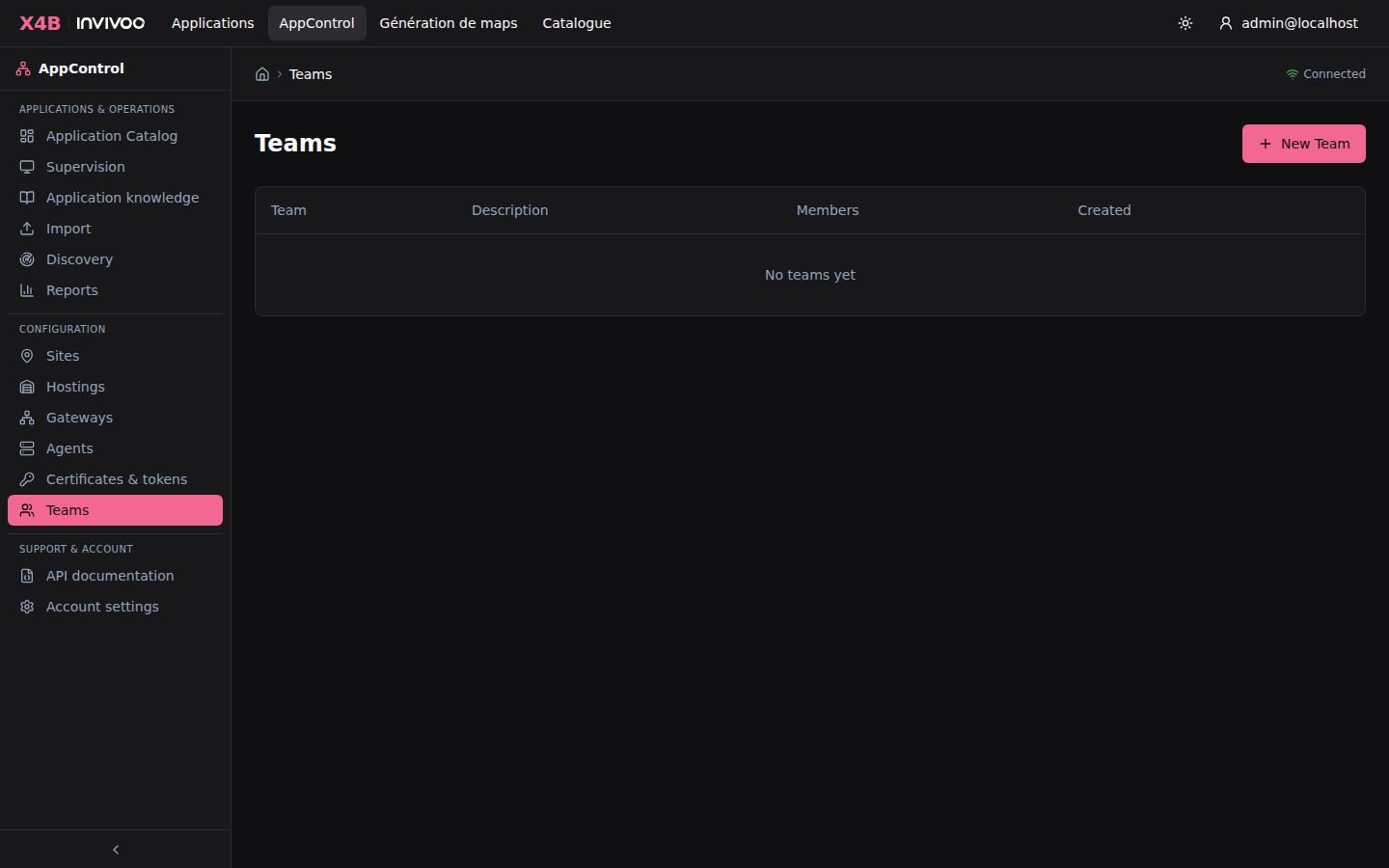 Teams — organize users into groups for collective permission management
Sharing & Permissions
Applications can be shared with users and teams through a Google Docs-style sharing dialog:
- User search with autocomplete — find users by name or email
- Permission level selector — view, operate, edit, manage, or owner
- Share links — generate time-limited, use-limited links for convenient access
- Bulk operations — share with multiple users or teams at once
All permission changes are recorded in the audit trail.
Reports & Compliance
AppControl provides comprehensive reporting aligned with DORA (Digital Operational Resilience Act) requirements.
| Report | Description |
|---|---|
| Availability | Uptime/downtime metrics per application and component over configurable periods |
| Incidents | Failure timeline with root causes, resolution times, and impacted components |
| Switchover History | DR switchover history with phase-by-phase timing and outcomes |
| Audit Trail | Complete action log: every user action with timestamps and details |
| RTO Analysis | Recovery Time Objective analysis comparing actual vs. configured targets |
Reports support configurable date ranges, drill-down from summary to component-level detail, and PDF export for regulatory submission.
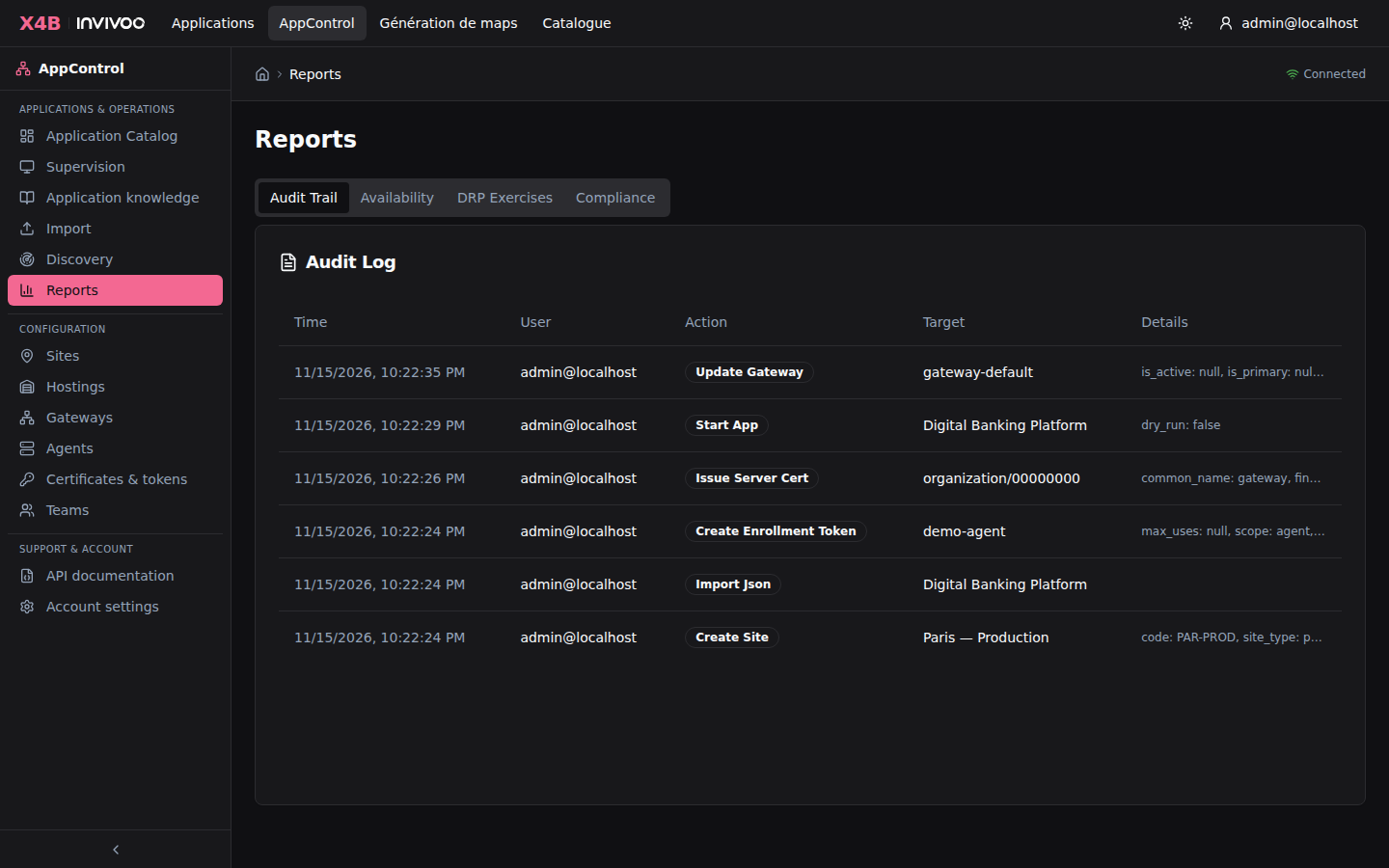 Reports — DORA compliance metrics, availability charts, and incident timelines
Settings & Administration
Settings
The Settings page provides access to system configuration, user profile management, and platform preferences.
Configurable options:
- User profile (name, email, password)
- Notification preferences (email, webhook, in-app)
- OIDC/SAML identity provider configuration
- Organization settings
- Certificate management and PKI rotation
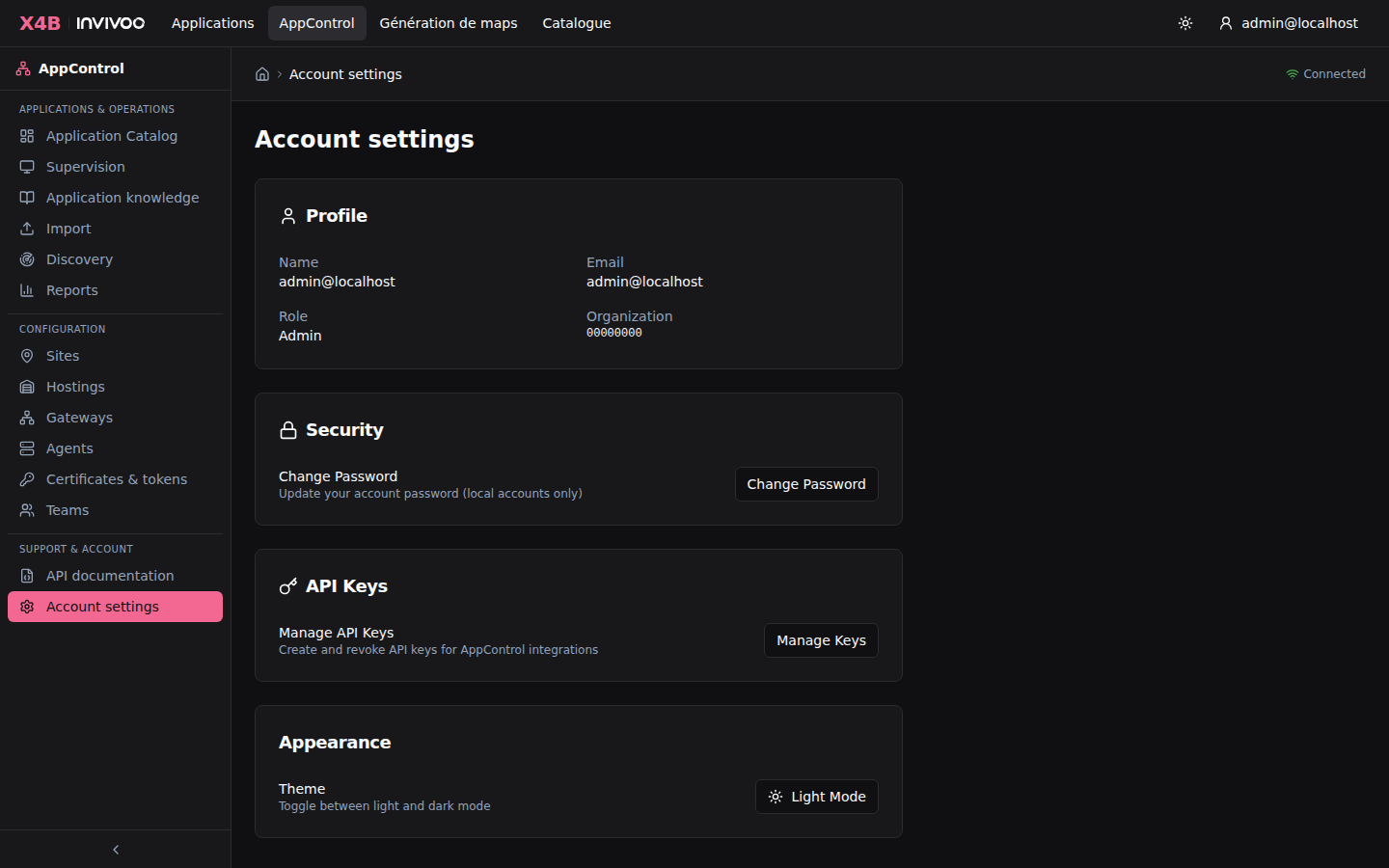 Settings — system configuration and user preferences
API Keys
API keys enable programmatic access for scheduler integration, automation scripts, and CI/CD pipelines.
Creating an API key:
- Open Account settings and select Manage Keys.
- Click Create API Key
- Provide a descriptive name (e.g., "Control-M Production")
- Copy the generated key immediately — it won't be shown again
Key format: ac_<uuid> — passed via Authorization: Bearer ac_<uuid>
Keys are stored as SHA-256 hashes (plaintext never stored), revocable at any time, and all usage is fully audited.
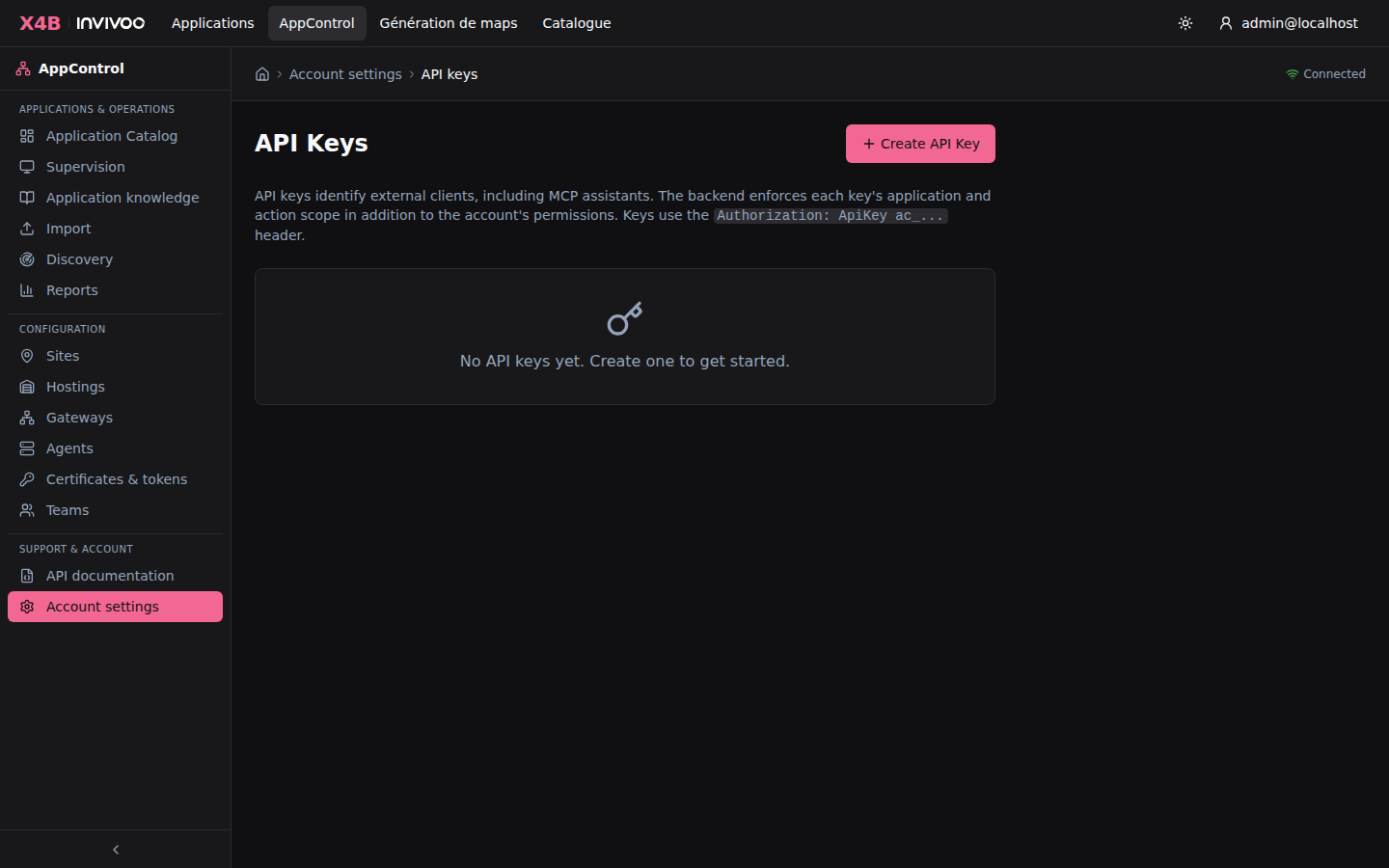 API Keys — create, manage, and revoke programmatic access keys
Supervision Mode
The Supervision Mode provides a full-screen NOC display designed for operations centers and wall monitors.
Features:
- Auto-rotating views across all monitored applications
- Large, high-contrast status indicators optimized for wall displays
- Configurable rotation interval
- Alert highlighting for failed or degraded applications
- No sidebar or navigation chrome — maximum screen real estate
Access via the /supervision route or press F11 from any page.
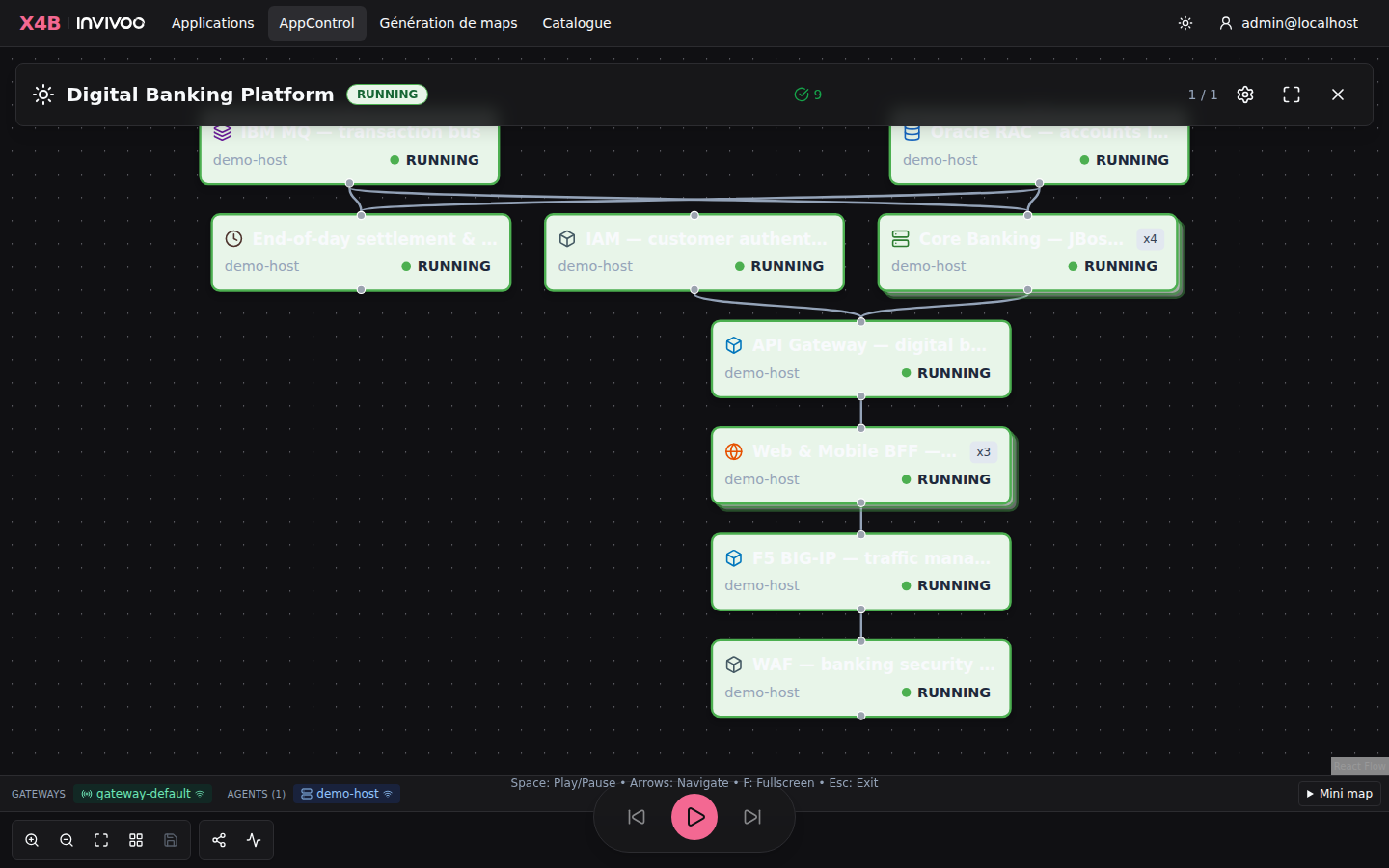 Supervision Mode — full-screen NOC display for operations centers
Component Catalog
The Component Catalog allows you to define custom component types specific to your organization. Each catalog entry includes an icon, color, category, and optional default commands that are pre-filled when a user creates a component of that type.
Built-in types: database, middleware, appserver, webfront, service, batch, custom, application
Initializing the Catalog
Use the CLI to seed the built-in types and import custom ones:
# Seed the 8 built-in component types (idempotent)
appcontrol.sh init-catalog

# Import custom types from a JSON file
appcontrol.sh import-catalog --file catalog.json

# List all types in the catalog
appcontrol.sh list-catalog
Catalog Import Format
The import file is a JSON object with an entries array:
{
  "entries": [
    {
      "type_key": "oracle-rac",
      "label": "Oracle RAC Cluster",
      "description": "Oracle Real Application Clusters",
      "icon": "database",
      "color": "#F80000",
      "category": "database",
      "default_check_cmd": "srvctl status database -d ${DB_NAME}",
      "default_start_cmd": "srvctl start database -d ${DB_NAME}",
      "default_stop_cmd": "srvctl stop database -d ${DB_NAME}"
    },
    {
      "type_key": "controlm-job",
      "label": "Control-M Job",
      "icon": "calendar",
      "color": "#E31837",
      "category": "scheduler",
      "default_check_cmd": "ctmpsm -LISTALL | grep ${JOB_NAME}"
    }
  ]
}
| Field | Required | Description |
|---|---|---|
type_key |
yes | Unique slug identifier (e.g., oracle-rac, kafka-connect) |
label |
yes | Display name shown in the UI |
description |
no | Tooltip description |
icon |
no | Lucide icon name: database, layers, server, globe, cog, clock, zap, shield, network, calendar, terminal, box (default) |
color |
no | Hex color for the icon (default: #455A64) |
category |
no | Grouping in the palette (e.g., database, middleware, scheduler) |
default_check_cmd |
no | Pre-filled check command when this type is selected |
default_start_cmd |
no | Pre-filled start command |
default_stop_cmd |
no | Pre-filled stop command |
default_env_vars |
no | Default environment variables as JSON object |
display_order |
no | Sort order in the palette (default: 0) |
Duplicate type_key values are skipped during import (not overwritten).
REST API
# List catalog entries
GET /api/v1/catalog/component-types

# Create a custom type (admin only)
POST /api/v1/catalog/component-types

# Update a type (admin only)
PUT /api/v1/catalog/component-types/:id

# Delete a custom type (admin only, built-in types cannot be deleted)
DELETE /api/v1/catalog/component-types/:id

# Bulk import (admin only)
POST /api/v1/catalog/component-types/import

# Seed built-in types (admin only, idempotent)
POST /api/v1/catalog/component-types/seed
UI Integration
Once catalog entries are loaded, they appear in:
- Component Palette (drag & drop): dynamically populated with search/filter when more than 8 types, grouped by category
- Component Editor (type selector): searchable dropdown with icon previews, category labels, and automatic pre-fill of default commands
Scheduler Integration
AppControl integrates with enterprise schedulers via REST API and CLI. It is designed to be called by schedulers, not to replace them.
Supported schedulers: Control-M, AutoSys, Dollar Universe, TWS
REST API
# Start an application (returns operation ID)
curl -X POST https://appcontrol/api/v1/apps/{id}/start \
  -H "Authorization: Bearer ac_<api-key>"

# Check application status
curl https://appcontrol/api/v1/apps/{id} \
  -H "Authorization: Bearer ac_<api-key>"
CLI (appctl)
# Start and wait for completion
appctl app start --name "Trading Platform" --wait --timeout 300

# Check status
appctl app status --name "Trading Platform" --format json

# Stop a specific component
appctl component stop --app "Trading Platform" --component "Order Service"
Security Architecture
TLS Architecture
                        EXTERNAL NETWORK
  Browsers/CLI  ────► :443  (HTTPS via nginx)
  Agents        ────► :4443 (WSS mTLS direct to gateway)
                         │
           ┌─────────────┴─────────────┐
           ▼                           ▼
  ┌─────────────────┐       ┌──────────────────┐
  │  NGINX (web UI) │       │  GATEWAY (zone)  │
  │  /api/* → :3000 │       │  :4443 direct    │
  │  /     → :8080  │       │  mTLS for agents │
  └─────────────────┘       └──────────────────┘
Certificate Security (5 Layers)
- Token-based enrollment — SHA-256 hashed, scoped, expirable, revocable
- mTLS — per-organization CA, mutual authentication on every connection
- Certificate pinning — fingerprint verified on every reconnect
- Certificate revocation — real-time revocation deactivates agents/gateways immediately
- Audit trail — all enrollment and certificate events logged in append-only tables
Certificate Rotation
Plan TLS rotation before expiry. Renew service and gateway certificates during a maintenance window and reload the affected workloads. To renew an agent's client certificate, follow the agent enrollment procedure and keep its registered hostname. The native OpenShift kit documents the certificate and enrollment token lifetimes.
Authentication Methods
| Method | Use Case |
|---|---|
| OIDC | Browser SSO (Keycloak, Okta, Azure AD) |
| SAML 2.0 | Enterprise SSO (ADFS, Azure AD) |
| API Keys | Machine-to-machine (schedulers, CI/CD) |
| Local | Development and standalone deployments |
Approval Workflows (4-Eyes)
For critical operations in regulated environments:
- Operator initiates an operation requiring approval
- Approvers receive notifications and review details
- Once required approvals are reached, the operation executes automatically
- All decisions are recorded in the audit trail
Break-Glass Emergency Access
Bypass normal permissions in emergencies:
- Immediate access with justification required
- High-priority alert sent to all administrators
- Time-limited window (default: 30 minutes)
- Every action logged with break-glass flag
- Mandatory post-incident review
Screenshots are auto-generated by CI from the running application. To regenerate, run npm run screenshots from the frontend/ directory with the full stack running, or trigger the docs-screenshots workflow manually.
Recovery evidence and configured projections
The Recovery lens includes a preparation inventory of each component's base commands and assigned agents. Expand a component to find missing declarations and open its existing configuration. This inventory is not an execution verdict: site overrides, fresh observations and blockers are resolved by the backend when you assess a concrete recovery plan.
Under Operations & diagnosis, expand Backend, gateway and agents to inspect the control path and the configured runtime and infrastructure assignments. The backend authorizes, plans and records; the gateway relays; agents execute configured commands or invoke external tools and return evidence. An independent infrastructure agent only helps while that agent and its own dependencies remain available.
Selecting dependencies, impact or an infrastructure asset preserves each card's state background and border. Context is shown with an outer outline, labels and edges; the mini-map also keeps state colors. STARTING and STOPPING are blue, STOPPED is gray, FAILED is red and RUNNING is green.
A reconstruction plan is scoped to an explicit site. Review fresh health, integrity and infrastructure evidence, missing-command blockers and dependency order before confirming. Network checks then gate each service start during execution. Track the returned operation identifier and its final result; an accepted HTTP request or a component's previous green state is not completion. The recovery workflow stops on failed mandatory checks or commands. Runtime restart, application rebuild and infrastructure rebuild are distinct choices. Selecting a reconstruction site does not silently perform a site failover.
Business personas and architecture lenses are configured projections, not component access controls. Effective permissions remain determined by roles, teams and application sharing. Infrastructure inventory can declare shared assets; a declared status is displayed separately from an observed component or agent state.
Metric metadata supports units, precision and threshold direction; synthetic data retains its visible provenance. Each metric shows the timestamp and exit code of the check that produced it. The map and metric panels refresh every five seconds and after recovery reaches a terminal result. Values from before a reconstruction remain visible with an explicit waiting-for-fresh-check notice until a newer check arrives. Preparing another site does not establish fresh evidence for the nominal site. The operation panel first confirms acceptance, then displays the recorded completion or failure; acceptance alone is never presented as recovery success.
The banking demo's HTTP simulator jobs are correlated with the AppControl operation, and its second Retail application uses the same contracts. Neither demo is evidence of a connection to Digital.ai or a bank cloud. See the single operator runbook.
Application knowledge and reviewed map proposals
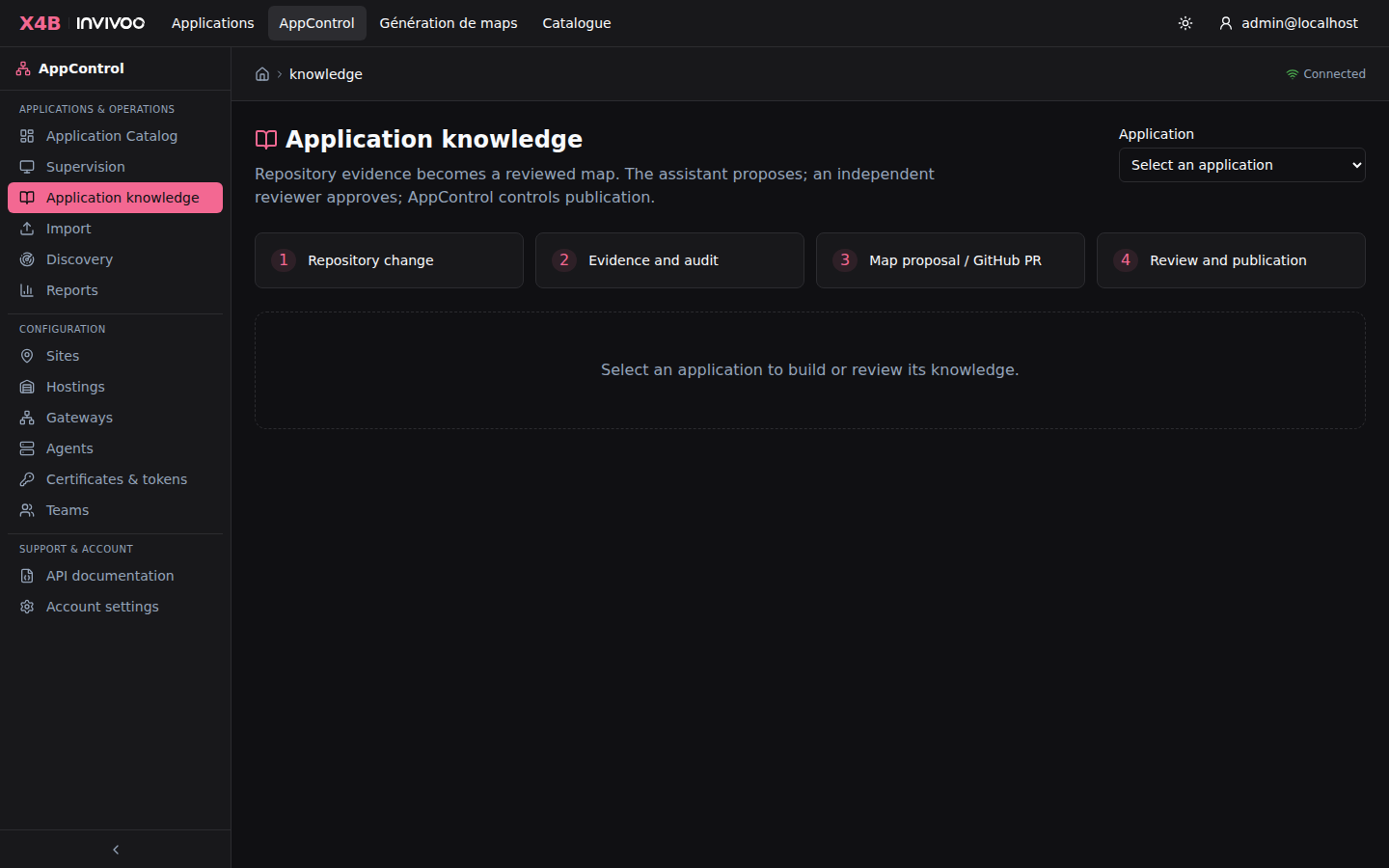
The Application knowledge page adds a native repository-to-map workflow. Select an existing application, submit selected UTF-8 text sources and PNG/JPEG diagrams with their full source commit, then inspect the extracted assertions, verbatim evidence and audit. The same app-scoped API is available to CI and through the MCP tools get_application_knowledge, ingest_application_sources and propose_application_map.
Configure KNOWLEDGE_ANTHROPIC_API_KEY and KNOWLEDGE_ANTHROPIC_MODEL on the backend to enable model extraction. This path sends selected source content to Anthropic. The explicit-claims API supports offline structured ingestion without calling a model. Do not submit secrets; the CI collector's credential checks are conservative checks, not a full DLP system.
Bundles are limited to 100 sources, 100 KB per text source, 750 KB per image before base64 encoding, and 1.5 MB total encoded source content. PDF, Word and arbitrary external repositories are not fetched by this first version. PNG/JPEG diagrams are interpreted by the vision model; their labels and arrows require human review. The CI collector reads explicitly allowlisted blobs from the checked-out Git commit, ignores generated knowledge as evidence, and refuses symlinks. Removed sources are retained and marked withdrawn; automatic publication is blocked pending reconciliation. Updates do not silently delete components or startup dependencies.
Knowledge revisions are immutable. Every text claim identifies its source and verbatim excerpt; command values must occur in that excerpt. Image claims preserve a model transcription, not a deterministically verified quotation. Images cannot supply executable commands. Approval requires acknowledgment of the exact image source hashes included in the proposal. This verifies provenance, not semantic correctness or operational safety. Missing procedures, conflicting command/type values, unknown startup targets and cycles block map proposals. No model confidence score authorizes publication.
Assign execution agents explicitly before requesting a proposal. Agents must belong to the application's organization and site. A proposal contains an immutable before/after diff, stable component IDs, source commit and digest. The initial projection handles basic shell-command components; native-command, referenced-application and cluster component changes require manual reconciliation and cannot be published through this projection.
An account with Edit permission can ingest and propose. A different human account with Manage permission approves the exact digest in AppControl; API keys cannot approve. A publishing account with Manage permission may then apply the approved proposal. API key profiles Map design (read, design) and Map publication (read, publish) restrict the two automation identities independently, intersecting account and site permissions. GitHub PR review does not itself replace the native approval record.
Publication uses a transaction and an application operation lock. It rejects a newer knowledge revision or concurrent changes to the projected map fields (identity, name, type, shell lifecycle commands, agent and dependencies). Other component settings remain unchanged. It preserves component IDs, records a configuration snapshot and publication receipt, and does not reapply an already published unchanged map. It may cause assigned agents to begin their regular health checks; it does not request application start/stop/rebuild.
Runnable CI conductor and workflow templates are in integrations/knowledge-agent/. Install them in the application repository, protect the workflows and target branch, configure separate design/publication secrets and the publishing environment. Source changes trigger consolidation and a map PR; generated-artifact changes do not recursively trigger ingestion. The templates have not, by their presence alone, configured repository protection or verified procedures in a sandbox. Test the proposed commands in an isolated environment before approving them for operational use.
Mock commands generated by the client's AI
Available from AppControl 1.21.1: select mock-linux or mock-windows when
retrieving the generation contract for your own AI. This changes the prompt's
command templates. The output is an ordinary map containing file-based
check/start/stop commands. Publish it through the normal map workflow, omit
profile from the publication envelope, and explicitly choose ordinary agents.
No mock-agent registry, special agent type or global simulation setting is
required. Real and simulated applications can coexist on the same instance.
AppControl does not receive the source documents or call a model in this flow.
See the simulation guide (French).
Real and simulated publication across active sites
In AppControl 1.21.1, the general publication API preserves the supplied
commands and application name, including commands generated from mock prompts.
An omitted publication profile means standard; it does not mean that the
commands must operate real services. Each explicit placement selects a site
and enrolled agent/host for a component, so one active application can run
across several sites simultaneously. This is distinct from alternative DR
binding profiles.
team_grants in the publication envelope assigns the new application to
existing teams; permissions are never generated map fields. In Teams →
Applications, authorized users can assign an existing application to a team,
change its permission or remove the grant. Team and application permissions
and access to each execution site remain required.
The maps:import key profile exposes authorized context and preparation and
publication of new maps, without lifecycle actions or updates to existing maps.
See the general workflow (French). Use the server and
interface of the matching release; Windows/OpenShift kit 1.21.1-2 includes
the PowerShell helper and these guides. Qualification results belong to the
exact delivered kit and images, not to earlier releases.
The separate optional /map-generation/mock/* tool still supports server-side
command replacement and registered site defaults. It requires an explicit
choice and is not the normal import path for maps generated with a mock prompt.
X4B platform and publisher identity
X4B (XComponent for Business) is the INVIVOO software platform. AppControl is its application operations module. The login page and navigation display this hierarchy; existing application URLs, REST APIs, agent protocols and permissions retain their AppControl names.
The interface starts in a dark theme. Use the theme button in the header or Settings to select light mode. This browser preference is retained across reloads. Brand assets are bundled with the application and require no Internet access.
The X4B identity provides a common home for future connectors and transformation modules. This release does not add or advertise unimplemented connectors as available modules.
Embedded architecture and reconstruction
AppControl Embedded presents a documentary map and executes isolated reconstruction scenarios using the existing Rust runtime and dedicated agents. Open Simulation workspace from an application map. Use Copy application ID in the map menu or copy the Web Component code from Intégrer dans un portail documentaire. A portal can pass a stable source reference at map import and resolve it from its shared architecture tab. Use a portal simulation key scoped to selected maps or to the maps its account can view. The key stays on the host server. See the integration guide and the replayable demonstration.
Reconstruction is the main verified recovery workspace. Choose runtime restart, application reconstruction or infrastructure plus application reconstruction, then review the affected scope and server plan. Daily Start/Stop are grouped under Operations; Restart with dependents is an atomic backend operation. A plan preview is distinct from an executed sandbox scenario. Reconstruction on another site does not itself switch the active site, synchronize data or route external traffic.
Catalog bulk imports retain add-only behavior by default. Use mode: "upsert"
with dry_run: true to review a diff; then provide the returned digest as
expected_digest to apply. Upsert records are complete definitions: omitted
optional fields are cleared. Imports are atomic and do not rewrite existing maps.